Download Nextpad++ for Linux
Last updated: · Version 1.1.0 · Free & open source under GPL v3
Nextpad++ for Linux is the full, free native Linux port of the popular open-source text and code editor, Notepad++. It has the same Scintilla editing engine, the same syntax highlighting for 80+ languages, the same macro recording and plugin system. It is GTK4 based so it feels at home on your Linux. Built as native ARM64 and x86 .deb/.rpm/.pkg.tar.zst. Nextpad++ has complete parity with Notepad++ for Windows. No emulation, Wine or Flatpak needed. Every release is code-signed. New 32-bit Linux support is coming. Starting with version 1.1.2 you will be able to download 32-bit x86 Nextpad++ package for antiX, MX Linux 23, Q4OS 5 and Debian 12 "bookworm" or newer, and a 32-bit ARM package for Raspberry Pi OS (32-bit) and Debian 13 "trixie" so older PCs and original Raspberry Pi boards get the full editor.
Nextpad++ v1.1.0 Latest
What's new in this release
- Loading release notes…
Not supported: Ubuntu 22.04, Debian 12, RHEL 9 / AlmaLinux 9 and openSUSE Leap 15.x — their GTK (4.6–4.12) and frozen glibc predate what these packages are built against. 32-bit x86 was never built, and there is no GTK3 build.
System Requirements
Releases
Planned release dates for Nextpad++ for Linux are tracked as GitHub Milestones. Click a highlighted day for details.
Loading…
Installation
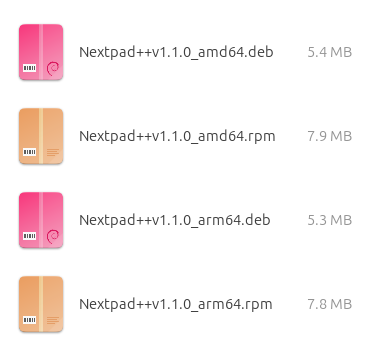
Pick the package that matches your distribution and architecture in the selector above, then install it. Every route below installs from the local file — a network connection is only needed if your package manager has to fetch missing dependencies.
Debian / Ubuntu / Mint (.deb — recommended)
sudo apt install ./Nextpad++v1.1.1_amd64.debDouble-clicking the .deb in your file manager (App Center / GNOME Software) works too. Use sudo dpkg -i for a fully offline install when the core dependencies are already present.
Fedora / RHEL 10 / openSUSE (.rpm)
sudo dnf install ./Nextpad++v1.1.1_amd64.rpm      # Fedora / RHEL
sudo zypper install ./Nextpad++v1.1.1_amd64.rpm   # openSUSE
Arch / Manjaro / EndeavourOS (.pkg.tar.zst)
sudo pacman -U ./Nextpad++v1.1.1_amd64.pkg.tar.zstInstall the downloaded package straight with pacman -U — it's a plain local package, so there's no repository, PKGBUILD or AUR helper required. Grab the arm64 build instead on aarch64 (Arch Linux ARM, Asahi, a Pi). Same GTK 4.14+ / glibc 2.39+ baseline as the other builds, which every current Arch, Manjaro and EndeavourOS install already meets.
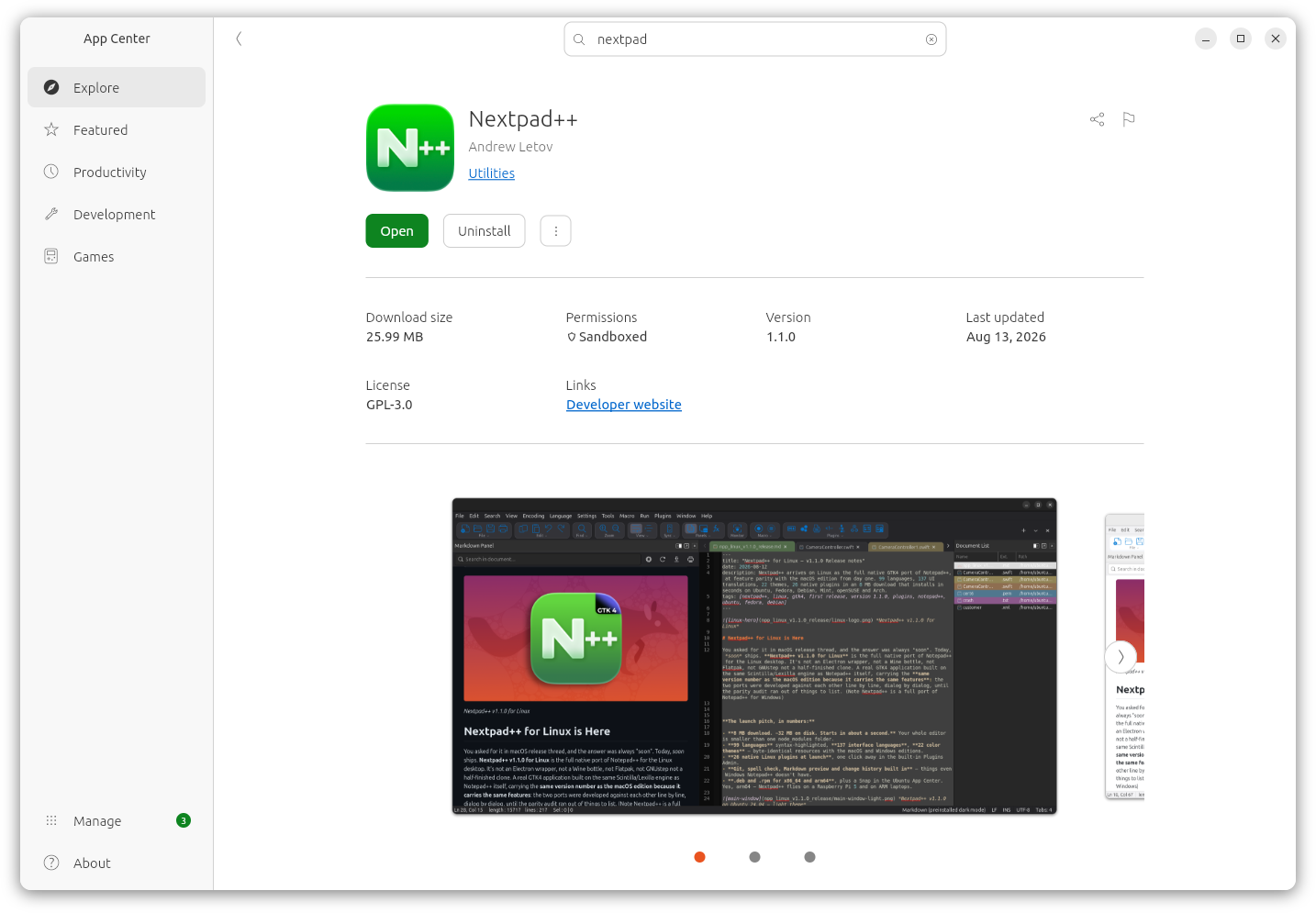
Ubuntu App Center / Snap Store
sudo snap install nextpadThe snap is strictly confined and updates itself through the store. It reaches your files through the standard home and removable-media permissions — if a file outside your home folder won't open, grant the permission in App Center → Nextpad → Permissions. For the fastest startup and smallest footprint, the .deb/.rpm is the recommended route.
Staying up to date
Nextpad++ checks for new releases once a day and shows a quiet in-app update card — new version number, download button, no nagging, and nothing is installed behind your back. You can toggle the check in Preferences → General or run it manually from the Help menu. Snap installs update through the store instead.
First-run quirks
dpkg -icomplains about dependencies — usesudo apt install ./file.debinstead, or runsudo apt -f installafterwards. apt resolves and fetches what's missing; plain dpkg doesn't.- "It's downloading extra packages" — those are the recommends (
git,unzip) that power the Source Control panel and plugin installs. One time, a few MB. - The dock icon shows a generic gear — GNOME caches icons aggressively. Log out and back in once after the first install and it's permanent from then on.
- Markdown preview panel is blank — install
libwebkitgtk-6.0-4. It's a soft dependency, so the rest of the app never has to carry WebKit. - Plugins Admin shows an empty catalog — it fetches the plugin list online; check the connection and hit Refresh catalog.
Verifying Your Download
Every release of Nextpad++ for Linux is published straight from the public build, so you can confirm the package you downloaded is exactly the one that was built.
- Published SHA-256 for every package. The hash shown in the version card above comes directly from GitHub for the exact file you selected — compare it against your download before installing.
- Signed packages. The
.deband.rpmpackages are signed, and the Snap in the Ubuntu App Center is store-signed and strictly confined. - Built from public source. The exact commit used to produce each release is tagged in the GitHub repository, so anyone can audit or rebuild the software independently.
Verify the checksum yourself
After downloading, run this in a terminal and compare the output with the SHA-256 shown above:
sha256sum Nextpad++v1.1.0_amd64.debYou can also inspect a package before installing it — dpkg -I file.deb for Debian packages, or rpm -qip file.rpm for RPMs — to see the metadata, version and dependencies without touching your system.
No telemetry, no analytics, no ads
Nextpad++ for Linux contains no telemetry, no analytics inside the application, no advertising, and no data collection of any kind. The editor does not phone home, track usage, or send crash reports automatically. The only network traffic the app makes is the once-a-day update check (which you can turn off) and the Plugins Admin fetching the public plugin registry from GitHub when you open it.
Frequently Asked Questions
Is Nextpad++ for Linux free?
Yes. Nextpad++ for Linux is completely free and open source under the GNU General Public License v3. There are no ads, subscriptions, in-app purchases, or paid upgrades — the version you download is the full version.
Which Linux distributions does Nextpad++ support?
The prebuilt packages run on any current release of every major distribution: Ubuntu 24.04 LTS and newer, Linux Mint 22+, Debian 13 "trixie", Fedora 40 and newer, RHEL 10 / CentOS Stream 10, openSUSE Leap 16 / Tumbleweed, and Arch / Manjaro / EndeavourOS. The requirement in one line is GTK 4.14+ and glibc 2.39+ — any 2024-or-later distro release. Ubuntu 22.04, Debian 12, RHEL 9 and openSUSE Leap 15.x are not supported: their GTK and frozen glibc predate what the packages are built against.
Does Nextpad++ for Linux run on ARM64 and Raspberry Pi?
Yes. x86_64 and arm64 are both first-class targets, built and tested equally — much of Nextpad++ was developed on arm64. There are .deb and .rpm packages for each architecture, and it runs happily on a Raspberry Pi 5 and on ARM laptops.
How do I install Nextpad++ on Ubuntu or Debian?
Download the .deb for your architecture and run sudo apt install ./Nextpad++v1.1.0_amd64.deb. Double-clicking the file in your file manager works too. On Fedora, RHEL or openSUSE use the .rpm with dnf or zypper. If you prefer store-managed installs with automatic updates, run sudo snap install nextpad or find Nextpad++ in the Ubuntu App Center.
Does Nextpad++ for Linux need Wine, emulation or Flatpak?
No. This is a native independent port of the Notepad++ source code, written in C on GTK4 on top of Scintilla and Lexilla. It is not an Electron wrapper, not a Wine bottle, not Flatpak, and not GNUstep — it is a real GTK4 desktop application in an 8 MB download.
Does Nextpad++ for Linux work on Wayland and X11?
Both are native. Two features are X11-only because Wayland has no protocol for them: Always on Top (including the Post-It keep-above pin) and the Window menu's Move to Monitor. Everything else behaves identically on either display server.
Do the macOS plugins work on Linux?
Yes — 26 native Linux plugins are in the catalog at launch, installed in one click from the built-in Plugins Admin with per-architecture, checksum-verified builds. The Linux plugin host speaks a strict superset of the macOS plugin API, so plugin authors port once and gain both platforms. See the plugin catalog for which plugins are Linux-native today.
Can I share settings between my Mac and Linux machines?
Yes. Settings live in ~/.config and ~/.local/share/nextpad++ following the XDG spec, but the file formats are the Notepad++ formats — copy your shortcuts.xml, themes and User Defined Languages from Windows or macOS and they load. Turn on Settings on cloud in Preferences → Cloud & Link and point it at a synced folder to share one configuration between a Mac and a Linux box.
Previous Releases
Every version of Nextpad++ for Linux is available on the GitHub releases page, with .deb and .rpm packages for x86_64 and arm64 in each. Every release is tagged to the exact commit used for that build, so you can pin to a specific version or audit the source for any previous release.
Show details
- First public release: native GTK4 application for Linux, at feature parity with the macOS edition from day one
.deband.rpmpackages for x86_64 and arm64, plus a Snap in the Ubuntu App Center- 99 languages syntax-highlighted, 137 interface languages, 22 color themes
- 26 native Linux plugins in the built-in Plugins Admin, including MCP Server and LuaScript
- Git, spell check, Markdown preview and change history built in — 8 MB download, ~32 MB installed
Other Ways to Install
Snap (Ubuntu App Center) — store-managed with automatic updates.
sudo snap install nextpadBuild from source — clone the nextpad-plus-plus-linux repository and build locally with CMake and GCC or Clang against GTK4 and Scintilla. The README covers the full build instructions. Building from source lets you audit the exact code that runs on your machine — and the source tree carries compatibility guards down to GTK 4.6 for adventurous self-builders on older distributions (unsupported, but possible).
Looking for the Mac version? Download Nextpad++ for macOS — Universal Binary for Apple Silicon and Intel, same version, same features.
Learn More
Browse the plugin catalog to see which Notepad++ plugins are already ported — the macOS and Linux pills on each card show where a plugin is available. Read the Linux v1.1.0 release notes for the full feature list and the macOS parity audit, or about the project for background on the port. Check resources for documentation, keyboard shortcuts, and community links. If you find a bug or want to contribute, open an issue or pull request on the GitHub repository.